



Tech Specs
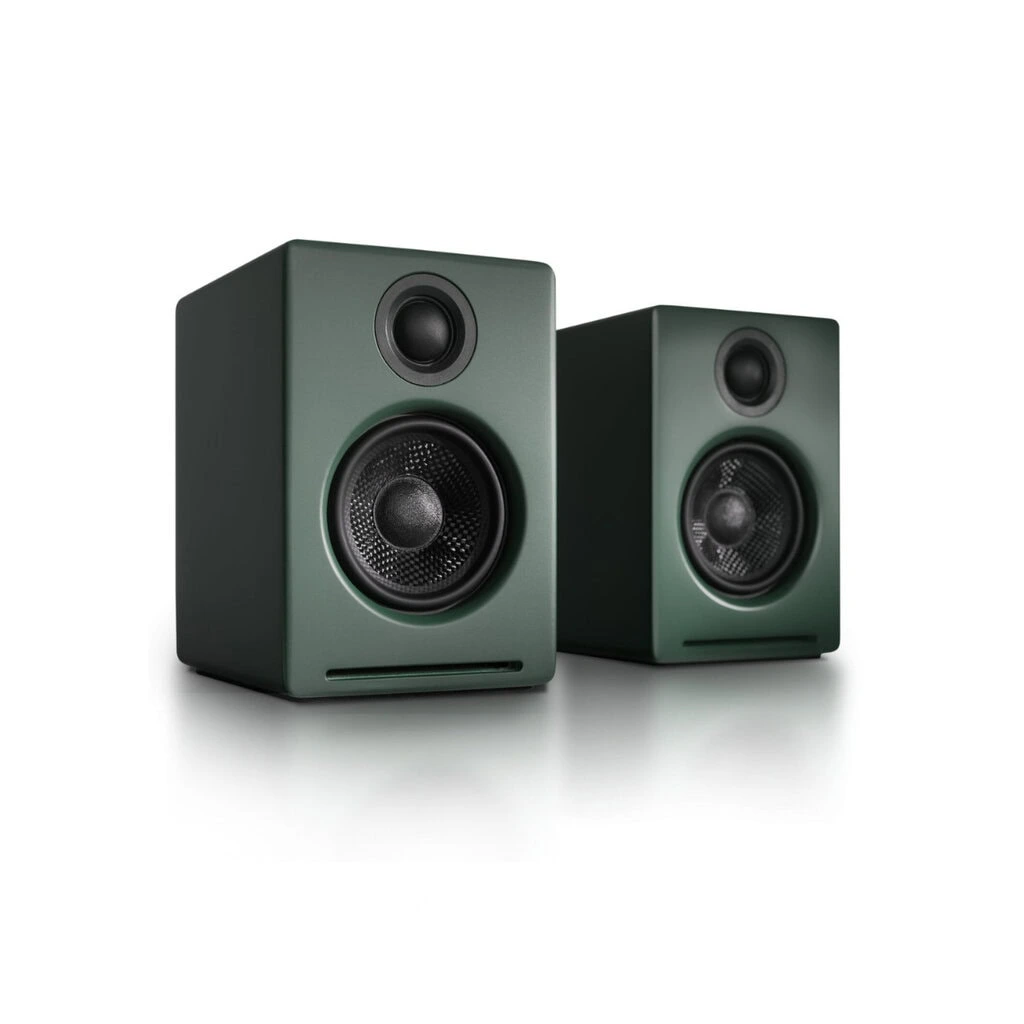
A2+ Next Gen Home Music System w/ Bluetooth aptX-HD
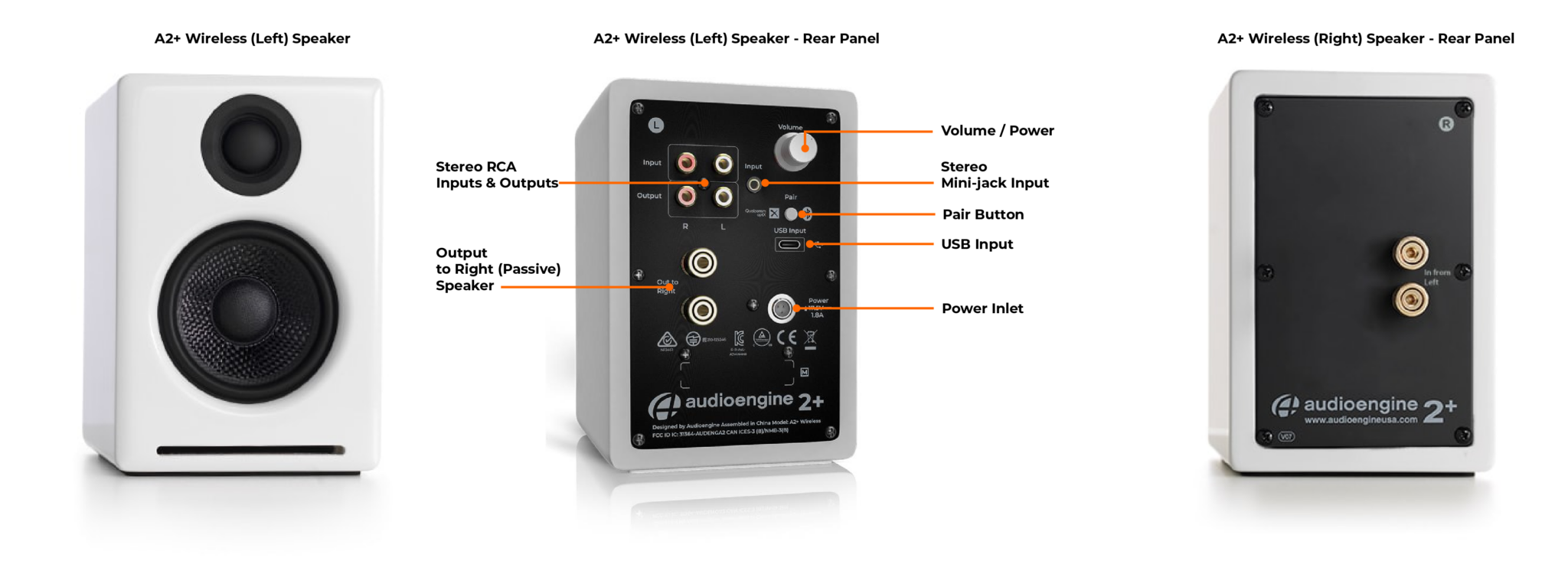
The A2+ Next Gen Home Music System is perfect for the desktop and can fill your rooms with full and clear sound. Setup is a snap, so you’ll be ready to rock in no time. Connect via USB-C audio from your computer, aptX-HD Bluetooth from your phone, tablet or computer, or kick it old school with an analog connection from that turntable or prized tape deck. The A2+ Next Gen also features an output so you can upgrade your system and boost your bass in a heartbeat by connecting a subwoofer, like the Audioengine S6.
Pro Tip For superior desktop audio, use the A2+ Next Gen’s USB-C or Bluetooth input. This bypasses your computer’s lower quality audio components, allowing the built-in DAC to provide a clearer, more detailed sound.
Technical Specifications
General specifications
Type
Powered Bluetooth aptX-HD speaker system
Amplifier Type
Class AB
Rated Power Output:
15W RMS per channel at 4 ohms (measured in compliance with 16 C.F.R. § 432.3)
Peak Power Output: 30W per channel at 4 ohms (AES)
Total Peak Power Output: 60W (AES)
Drivers
2.75” aramid fiber woofers
0.75“ Silk dome tweeters
Inputs
3.5 mm stereo mini-jack, RCA L/R, USB, Bluetooth
Outputs
RCA variable line-out
Input Voltages
100-240 V 50/60 Hz auto-switching
SNR
>95 dB (typical A-weighted)
THD+N
Less than 0.05% at all power settings
Crosstalk
<50 dB
Frequency Response
65 Hz-22 kHz ±2.0 dB
Frequency Response w/ Bass Reduction Switch selected
N/A
Analog Input Impedance
N/A
Nominal Impedance
N/A
Input Impedance
10K ohms unbalanced
Crossover Frequency
N/A
Protection
Output current limiting, thermal over-temperature, power on/off transient protection
Power Consumption
Idle: 5W
Standby Consumption
N/A
Phase
N/A
Recommended Amplifier Power
N/A
Battery Life
N/A
Battery Charge Time
N/A
Bluetooth Specifications
Internal BT Receiver
Qualcomm QCC 3031/3034
Input Bit Depth
16 bit (SBC, AAC), 24 bit (aptX-HD, aptX)
Bluetooth Receiver Type
Bluetooth 5.3
Supported Codecs
aptX-HD, aptX, AAC, SBC
Supported Bluetooth Profiles
A2DP
Wireless Operation Range
Up to 100 ft (30 m) typical
Input Data Rate
Determined by Bluetooth
Wireless Latency
~120 milliseconds (ms)
USB Specifications
Connector Type
USB TYPE-C
USB Device Class
type 1.1 and above
Input Bit Depth
24 bit (padded)
Input Sample Rate
48 kHz
Internal D/A Converter
Weights And Measures
Dimensions (HWD)
Each speaker – 6″ (15.6 cm) x 4″ (10.6 cm) x 5.25″ (13.8 cm)
Weight
Left (active) – 3.6 lb (1.72 kg)
Right (passive) – 3.2 lb (1.51 kg)
Total Shipping Weight
10 lb (4.51 kg)
Shipping Box Dimensions (LWH)
15” (38.1 cm) x 7” (17.8 cm) x 10.5” (26.7 cm)
Environmental Requirements
Operating temperature: 32 degrees F to 95 degrees F
Non-operating temperature: -4 degrees F to 113 degrees F
Relative humidity: 5% to 95% non-condensing
Materials And Construction
0.24″ (6 mm) thick MDF cabinets
0.75″ (20 mm) silk dome tweeters with neodymium magnets
2.75″ (70 mm) aramid fiber woofers with advanced voice coils
Cabinets
To minimize unwanted resonances and distortion, Audioengine cabinets have thick high-resin MDF walls with extensive internal bracing. Heavy internal sound-damping material is used to reduce unwanted sound reflections inside the cabinet. All cabinet edges are rounded which look great and reduce high-frequency diffraction effects on the front baffles. The A2+ Next Gen cabinet contains tuned, front-port slots.
Furniture Grade Finishes
The A2+ Next Gen cabinets are available in several handsome, high-gloss finishes, including black, white and red paint, offering a modern compliment to any small space or desktop.
Custom Components
Audioengine designs and manufactures our own tweeters, woofers, and other critical components. In other words, these are not “box built” speakers with off-the-shelf parts but custom-designed to our specifications. What we do not fabricate directly in our factory we have made to our designs (parts such as transformers, magnets, and wiring harnesses, for example). The cabinets, drivers, bass port designs, amplifiers, and crossovers are all painstakingly tuned together for each Audioengine model. This, in turn, makes for a much more efficient system that requires much less power than passive speakers and a separate integrated amplifier or similar A/V components.
Based On Studio Monitor Designs
Studio monitor speakers are used by producers and engineers in recording and production studios. They are designed with a theoretical flat frequency response which allows the engineer to create a final mix in such a way that the recorded music will sound good on most other speakers. Although Audioengine speakers are not designed to be up-close “nearfield” studio monitors, we do carry over much of the same higher-end technology, components, and design philosophy for all Audioengine speaker systems.
Efficient Integrated Design
The speaker cabinets, drivers, innovative bass port designs, amplifiers, and passive crossovers are all critically tuned together for each Audioengine model. This, in turn, makes for a much more efficient system that requires less power than passive speakers and a separate integrated amplifier or similar A/V components. We build all this goodness into the left speaker cabinet to make it super-easy to connect your smartphone, tablet, computer, TV, network player or any other audio product.
High-quality Bluetooth Audio
The Bluetooth built into the A2+ Next Gen Wireless speakers features aptX-HD coding which is an advanced Bluetooth audio codec with very impressive sound. And even if your phone or tablet does not have aptX-HD, the A2+ Next Gen Bluetooth solution is backwards-compatible with aptX, AAC, SBC codecs, so you can wirelessly stream music from any Bluetooth-enabled device and still enjoy all your music. High-fidelity Bluetooth aptX-HD that really works and sounds great.
Extended-range wireless. Most Bluetooth implementations have very limited range, typically within just one room. But with careful signal management circuitry and antenna tuning, we offer a superior solution that has up to 3 times the range of standard Bluetooth for multi-room use, with no degradation in audio quality.
24 bit DAC
The A2+ Next Gen Bluetooth receiver utilizes the PCM 2704C DAC, known for extremely-low quantization noise in the audio band, with a built-in analog low-pass filter that removes the high-frequency components of the noise-shaping signal.
Amplifier Design
The amplifiers in powered Audioengine speakers are located in the left speaker and are a conservatively-rated class A/B analog monoblock design. This is a more traditional speaker/amplifier configuration which provides excellent quality audio and greater flexibility. All circuit boards for the power and preamp sections are vertically mounted for maximum mechanical shock protection.
Driver Designs
Audioengine uses audiophile-quality, ferrofluid-cooled silk dome tweeters with neodymium magnets. Silk tweeters hold up well under high power and the edge-driven design gives very smooth response. The woofers are aramid fiber woven glass composite with rubber surrounds. Aramid fiber is obviously very strong, which means the woofer retains its shape when being driven at high levels.
Shielding
Both drivers are directly video shielded and allow the user to place the speakers within a few inches of a video monitor. This shielding also offers protection for hard-drive digital music players.
Quickstart Guide
A2+ Classic Quick SetupQuick Setup
Step 1 – Connecting the speaker wire

1. Use your thumb and finger to unscrew the connectors.
2. Insert each speaker wire into the holes on the side of connectors.
3. Retighten the connectors with your fingers.
4. The bare portion of the wire should be secured firmly in each connector.
Repeat the procedure to connect the other end of the speaker wire to the other speaker. Check to make sure none of the speaker wire strands have come in contact with a nearby connector.
As the A2+ speakers have the power amplifiers built inside, do not connect the speaker terminals to the speaker outputs of a stereo receiver.
Step 2 – Connecting the Power Supply

Verify that the volume/power switch on the rear panel of the left
speaker is in the OFF position by rotating it counterclockwise
until it clicks off.
1. Connect the cable from the power supply to the left speaker rear panel.
2. Connect the power cable to the other end of the power supply.
3. Connect the power cable to an AC power outlet.
4. Verify that the LED indicator on the power supply is illuminated.
Use only the power supply provided with the speakers.
Step 3 – Connecting an Audio Source
Using the appropriate audio cable, connect the speaker inputs to your audio source (computer, iPhone, iPad, etc.). One example is shown in the diagram.

Another option for connecting a computer to A2+ is via USB audio. Using the included USB cable, connect as shown in the diagram.

For the full setup guide, download the attached PDF:
A2_plus Setup Guide
A2+ Setup Video
Troubleshooting
A2+ Classic Troubleshooting TipsThe following troubleshooting tips can help diagnose and correct most concerns with the A2+ Classic. We have attempted to make this list as comprehensive as possible, so some of these may not apply to your issue, but please go through each tip.
If the power indicator on the A2+ external power supply unit is not illuminated, try these tips:
- Make sure the AC power cord is connected to the power supply unit and to a working AC power outlet.
- Check that the cable at the other end of the power supply is correctly connected to the rear panel of the left speaker.
If the power supply light is on but you are experiencing an audio-related issue, try these tips:
- Verify that the volume/power control on the rear panel is not turned all the way down or powered off (we recommend setting the volume to at least the 10 o’clock position).
- Check that the volume level of your audio source components or devices is not set to minimum volume or powered off.
- Check speaker wire connections from the left (powered) speaker to the right (passive) speaker. Confirm this by removing the speaker wire from on each speaker and reconnecting. Also check the speaker wire polarity by verifying that the wires are going to same terminals on both speakers.
- Check that the cables from your audio sources to the speakers are properly connected. Confirm this by unplugging the audio cables and then reconnecting.
- Decrease the volume of the input audio source and increase the volume of the speakers.
- Try using different audio input sources and/or devices to see if the problem follows.
- Try swapping your left and right speaker via the RCA left and right inputs to see if the issue remains in the same channel or follows the speaker.
- If you are using a computer with your A2+, make sure the volume is up on your media players, internet radio, master control, device volume, etc. and the balance control is centered.
- If your input source has its own EQ, please make sure the low end is at a moderate level, as having too much bass can cause distortion.
- If you are using a wireless adapter, preamp, or external DAC with these speakers, remove them (temporarily) and connect the audio input source directly to the speakers.
- Move your speakers to a different location to see if something is causing interference in the current setup. Something as simple as a wireless internet router, cordless or mobile phone, or halogen lamp near the speakers can cause interference.
A2+ troubleshooting tips – internal USB digital-to-analog converter
Try these tips if your computer is not recognizing the speaker through your computer’s USB input or the sound through USB isn’t functioning correctly.
If you are using a Windows computer, uninstall the USB driver from your computer. Then disconnect the USB cable to remove the A2+ from your computer and plug it back in to allow the USB driver to re-install automatically. You can find complete instructions from Microsoft on how to reinstall a plug-and-play device under Windows here.
If you are using a Mac, try a NVRAM/PRAM reset. This resets the system configurations for some audio and video related items and can many times help clear up problems related to audio. See Apple’s support page for information on how to do this.